Using the Library
Planning Your Research Visit
The John Carter Brown Library welcomes all researchers to consult our collections in the W. Duncan MacMillan Reading Room.
The reading room is open Monday through Thursday, 10 am - 12:45 pm and 2 pm - 4:45 pm; and Friday, 10 am - 12:45 pm. You can check for closing dates here.
Reading tables are reserved for researchers consulting our collections, and appointments are required for all research visits. Please plan to create an appointment in advance of your arrival at the library. Because seating is limited, same day appointments may not be available.
Researchers must first create a JCB Research Account to request material for consultation and make appointments.
Request from the online catalog record
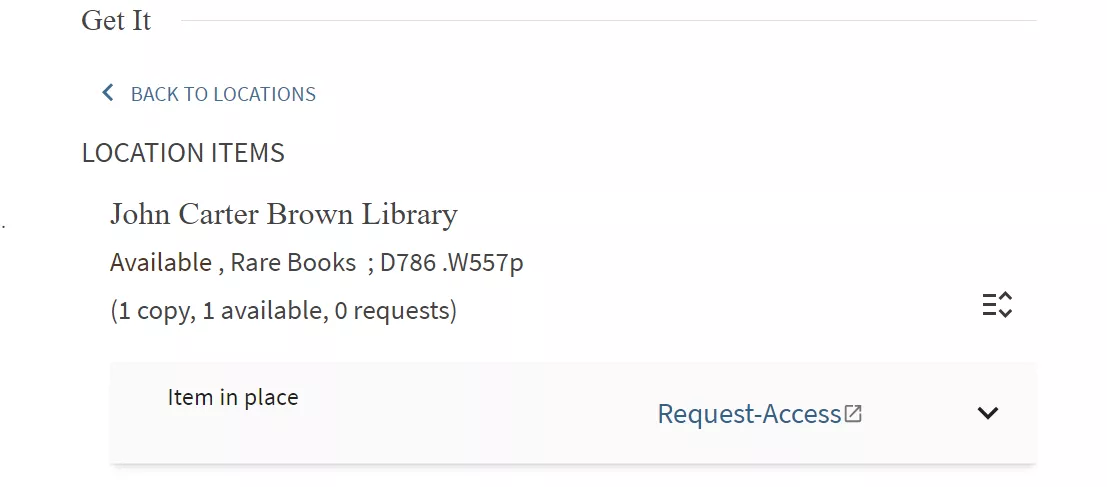
- Click on “Request-Access” in the “Get it” area of the record for the item you wish to consult.
- You will be prompted to sign in to your JCB Research Account.
- From the New Request drop down menu, select Request from Library Catalog. This will open a request form with the relevant information imported from the online catalog record
- The most important information we need in the request form is the title of the item and the call number. Please check to see that this information has been imported into your request.
- To help locate the precise item you need, you can add information about specific copies or volumes. This information is usually found in the Local Note in the Details section of the online catalog record, and can be added to the Call Number field of the request form, or in the Additional Information/Questions field in the Request Information section of the request form.
For example, from the information in this online catalog record:
- You can specifically request copy 1, and locate it within this large multi-volume set of miscellaneous publications.
- Create an appointment for consulting the item, link the item to an existing appointment or select “Save for Review” to save for later scheduling.
Please note: Requests that are saved for review will not be placed on hold until an appointment has been made.
Request directly from your JCB Research account:
- Log on to your JCB Research account.
- Select Create a New Request from the New Request menu on the toolbar.
- Enter the relevant information into the blank request form. Generally, this will be the title, call number, and author, if known.
Create an appointment for consulting the item, link the item to an existing appointment or select “Save for Review” to save for later scheduling
Please note: Requests that are saved for review will not be placed on hold until an appointment has been made.